
How to Implement Biometric Door Access in Your Singapore Office: A Step-by-Step Guide
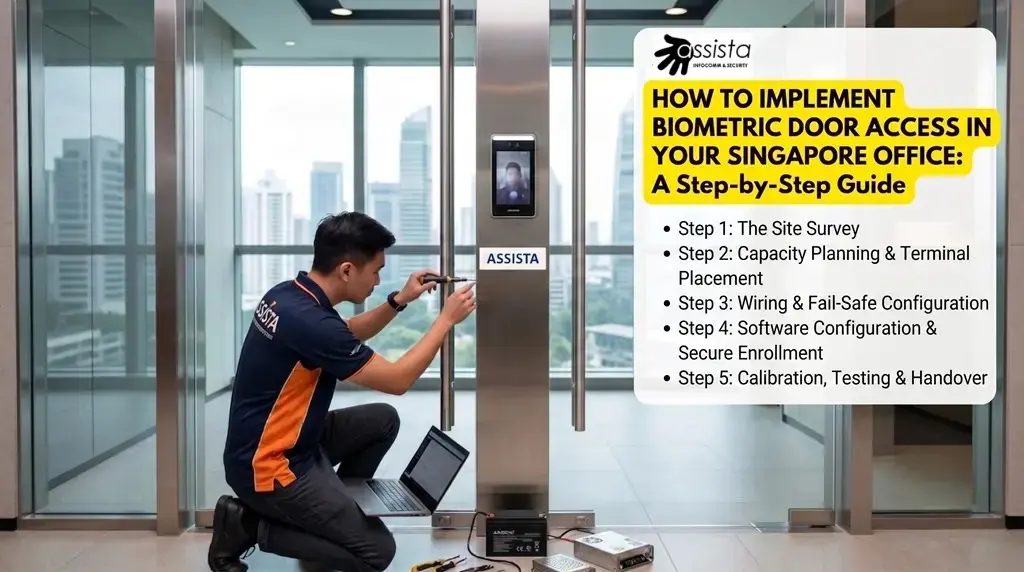
Deciding to upgrade your office security to face recognition or fingerprint access is a smart move for 2026. However, the success of the system depends on more than just the hardware; it’s about a systematic installation that accounts for Singapore’s unique commercial building layouts and regulatory requirements.
At Assista, we follow a “Thinking-First” engineering approach to every installation. Here is our step-by-step framework for a seamless transition.
Step 1: The Site Survey (Door Hardware & Power)
Before choosing a terminal, you must analyze the physical entrance.
- Door Type: Is it a frameless glass door, a wooden door, or an aluminum-frame door? Frameless glass doors require specific U-Brackets and EM Locks (Electromagnetic Locks) that don’t damage the glass.
- Power Source: Is there a power point near the door, or do we need to tap into the ceiling’s lighting circuit?
Pro-Tip: PoE (Power over Ethernet) could be used to reduce cabling, which is ideal for the clean, minimalist aesthetics typical of modern Singaporean offices.
Step 2: Capacity Planning & Terminal Placement
Don’t over-buy, but don’t under-spec either.
- User Load: Calculate your total headcount plus a 20% buffer for future expansion. For small offices, entry-level models are often sufficient, while larger teams should cross-reference our breakdown of the Top 5 Hikvision Face Recognition Door Access Systems Singapore to find a unit matching their staff capacity.
- Mounting Location & Height: To ensure users naturally face straight forward during authentication, the reader must be securely mounted onto the wide metal structure (jamb) directly beside the glass door—never angled on a thin outer frame. The sweet spot for the camera lens is precisely 1.4m to 1.5m from the floor, allowing for fluid “walk-up” identification without forcing staff to crouch or stop.
Step 3: Wiring & Fail-Safe Configuration
Safety is as important as security.
- Fire Linkage: In Singapore, commercial buildings require the door access system for main entrances to be linked to the building’s fire alarm system. In the event of an emergency, the EM lock must automatically release to allow for a safe, unhindered exit.
- Backup Battery: We always integrate a 12V 7AH backup battery unit. This ensures that even during a localized power trip, your office remains completely secure and authorized staff can still gain entry.
Step 4: Software Configuration & Secure Enrollment
This is where the system’s operational logic is established.
- Automated Hashing: When walking your HR team through employee enrollment, modern Hikvision terminals automatically convert facial features into a secure mathematical template (hash). The device stores these numerical strings rather than raw photographs, keeping your backend inherently secure.
- Access Schedules: Customized security boundaries can be set inside the management software (like iVMS-4200)—such as restricting part-time cleaning staff to 6:00 PM – 9:00 PM windows while granting core management 24/7 access.
Step 5: Calibration, Testing & Handover
Before the deployment is finalized, the hardware must be fine-tuned for real-world environmental conditions.
- Lighting & WDR Tweak: If your office glass door directly faces heavy corridor lighting or the afternoon sun, the camera’s Wide Dynamic Range (WDR) must be calibrated on-site to eliminate silhouetting and ensure sub-0.2 second unlock speeds.
- PDPA Best Practices: To maintain full compliance with Singapore’s Personal Data Protection Act, we could assist your management team in setting up clear privacy notices at the entrance and provide guidance on how to safely purge data records of former employees. If you are still finalizing your data protection policies, review our executive brief on why Singapore offices are switching from fingerprint to face recognition to understand how hashing bypasses traditional compliance hurdles.
The Installation Checklist
Why Professional Installation Matters
A “Thinking-First” installation by Assista ensures that your system doesn’t just look good—it functions reliably under Singapore’s high-usage demands. From choosing the exact mounting location on your metal frames to ensuring structural fire safety integration, we take the technical burden entirely off your shoulders.
Ready to secure your premises flawlessly?
Explore our Face Recognition Door Access Installation Packages or contact Assista for a discussion at your convenience.
